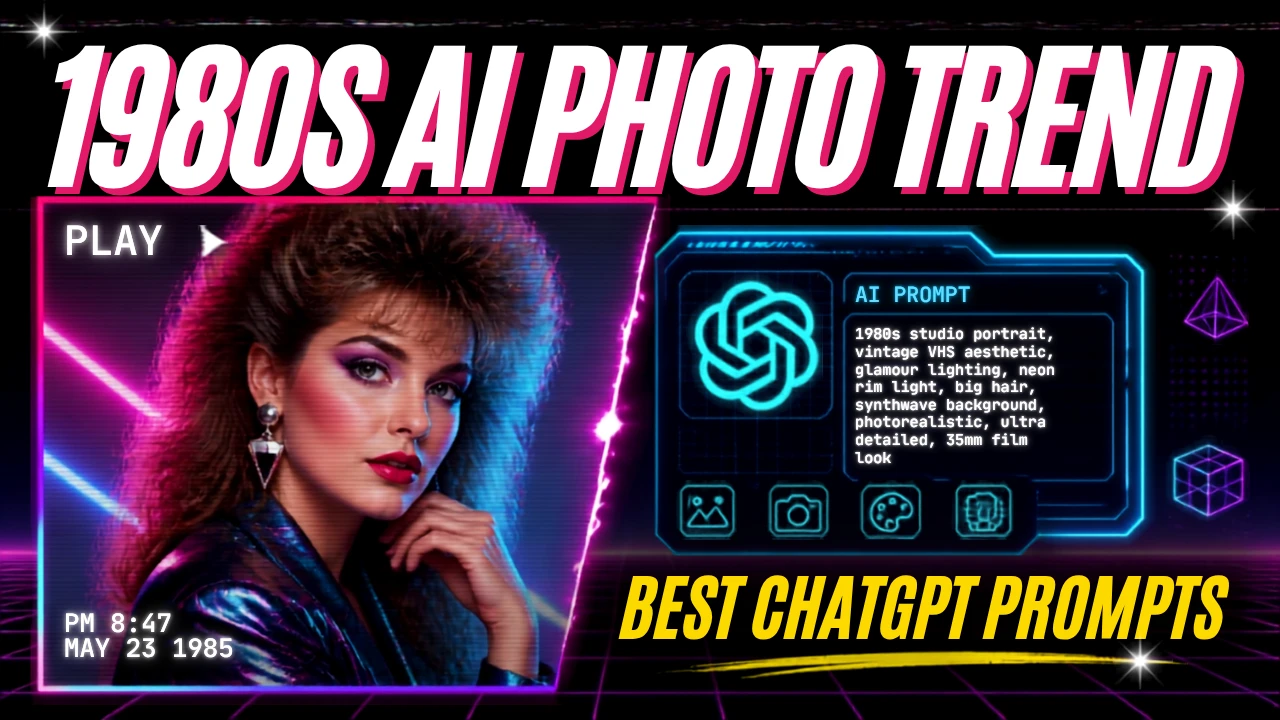
The 1980s AI photo trend is quickly becoming a popular way to bring old-school fashion, photography and nostalgia to Instagram. Instead of simply applying a vintage filter to a modern picture, people are using AI image tools to recreate themselves as if their photographs were actually taken in the 1980s.
The trend is simple: upload a photo, describe the kind of 1980s look you want, and let AI transform the clothing, hairstyle, background, lighting and overall photo style.
The trend has also moved beyond simple portraits. People are creating Bollywood-style photographs, old family-album pictures, studio portraits, magazine-style images and other retro looks. On Instagram Stories, users can also use the “Add Yours” sticker to invite friends and followers to join the trend.
The idea behind it is fun and easy to understand: What would I have looked like if this picture had been taken 40 years ago?
What Is the 1980s AI Photo Trend?
The 1980s AI photo trend uses generative AI to turn a current photograph into an image inspired by the visual style of the 1980s.
Traditional photo filters mainly change colours, contrast or texture. AI image editing can go much further. It can change clothing, hairstyles, accessories, backgrounds, lighting and other visual details while trying to preserve the person’s identity.
For example, a modern portrait can be transformed into an Indian 1980s studio photograph with a colourful saree, large hairstyle, statement jewellery and soft analogue-camera texture.
A man’s modern photo could become a 1980s-style portrait with a neatly combed hairstyle, high-waisted trousers, a period-style shirt and a classic studio background.
These details are helping make the trend feel more like a recreated photograph rather than a simple digital filter. Hindustan Times reported that the trend includes looks inspired by Bollywood portraits, studio photographs, old magazine covers, movie stills and family photographs.
Why Is the 1980s AI Photo Trend Going Viral?
Nostalgia is one of the biggest reasons behind the trend.
The 1980s had a very recognizable visual style. Bright colours, dramatic hairstyles, analogue film, soft lighting, bold clothing and distinctive studio photography give the decade a look that can be recognised immediately.
AI makes it possible for people who did not grow up in that period to imagine themselves in it.
Someone born decades after the 1980s can now create a photograph that looks inspired by that era. Someone who actually lived through the decade can use the technology to recreate a memory or imagine a different version of an old photograph.
Social media also makes these trends spread quickly.
One person creates an image, shares the prompt, and others try the same idea. Instagram Stories and the “Add Yours” sticker make it easier for users to invite their followers to participate.
The result is a combination of AI creativity, nostalgia, and social participation.
How to Create a 1980s Photo Using ChatGPT
Creating an AI-generated 1980s photo does not require advanced editing skills.
ChatGPT’s current image tools can create new images and edit existing ones. Users can upload an image and describe the changes they want, making it possible to use a personal photo as the starting point for an edit.
Here is a simple process:
Step 1: Choose a Good Photo
Start with a clear photograph.
A front-facing or three-quarter portrait usually works well because AI has more visible information about the face.
Good lighting is also helpful. Avoid extremely dark or blurry images if you want the final result to retain your facial details.
Step 2: Upload the Photo
Upload the image to ChatGPT.
ChatGPT’s image tools support editing an existing image by uploading it and describing what should change.
Step 3: Describe the 1980s Look
Do not simply write “make this photo 1980s.”
A more detailed prompt can give the AI clearer instructions.
Mention:
- The decade
- Clothing
- Hairstyle
- Accessories
- Background
- Lighting
- Camera style
- Film texture
- Colour treatment
- Whether the face should remain unchanged
Step 4: Review the Result
AI-generated images are not always perfect.
Check the face, hands, jewellery, clothing patterns, text and background carefully.
If something looks wrong, ask ChatGPT to edit that specific area rather than starting over.
ChatGPT’s image editor also allows users to select an area and describe the change they want.
Step 5: Share It on Instagram
Once you are happy with the image, you can save it and share it on Instagram.
You can also use the “Add Yours” sticker in Stories to invite others to create their own version of the trend.
Best ChatGPT Prompts for the 1980s AI Photo Trend
The quality of an AI image depends heavily on the instructions you give it.
Here are some original prompt ideas you can try.
1. Classic 1980s Indian Portrait
Transform this photo into a realistic 1980s Indian studio portrait. Keep my face, facial structure and identity recognisable. Give me authentic 1980s Indian clothing, a period-appropriate hairstyle and classic accessories. Use warm studio lighting, soft focus, subtle analogue film grain and slightly faded colours. Make it look like a real photograph taken with an analogue camera in India during the 1980s, not a modern photo with a simple vintage filter.
This type of prompt is useful when you want a classic Indian family-album or studio look.
2. 1980s Bollywood Style
Turn this photo into an authentic 1980s Bollywood-inspired portrait. Keep my facial features and identity unchanged. Add period-appropriate Indian fashion, dramatic studio lighting, classic 1980s hairstyle, bold accessories and subtle analogue film grain. Use rich but realistic colours and a slightly soft photographic texture. Make the image look like an original 1980s Indian film publicity photograph.
The goal here is to create the feeling of an old Bollywood publicity portrait without making the image look artificially aged.
3. Old Family Album Photo
Recreate this image as a natural Indian family photograph from the mid-1980s. Keep the person’s face and expression realistic. Change the clothing, hairstyle and surroundings to match the period. Use a simple indoor family setting, soft natural lighting, analogue camera texture, slight grain and realistic 1980s film colours. Avoid modern objects and digital-looking details.
This works particularly well for family-style images.
4. 1980s College Photo
Transform this photo into a realistic 1980s Indian college portrait. Keep my face and identity recognisable. Give me period-appropriate college clothing, hairstyle and accessories. Place me in a simple 1980s college environment with natural lighting, analogue film grain, soft focus and realistic faded colours. Avoid modern phones, computers, fashion and buildings.
This can create a nostalgic student-photo effect.
5. 1980s Wedding Portrait
Turn this photo into an authentic Indian wedding photograph from the 1980s. Preserve the person’s facial identity and natural expression. Add traditional period-appropriate wedding clothing, jewellery and hairstyle. Use a classic wedding-studio background, warm lighting, analogue film grain and slightly faded colours. Make it look like a genuine printed wedding photograph from the 1980s.
This is a good option for people who want a nostalgic family-album feel.
6. 1980s Hollywood Portrait
Recreate this photograph as a glamorous 1980s Hollywood studio portrait. Keep my facial features and identity unchanged. Add period-accurate hair, clothing and makeup, with dramatic studio lighting, soft focus and subtle analogue film grain. Use realistic colours and an authentic 1980s photography style without excessive sepia or artificial ageing.
The key is to specify the era without allowing the AI to completely change the person’s appearance.
How to Make Your AI Photo Look More Realistic
A common mistake is adding too many effects.
If you ask for heavy grain, strong scratches, extreme faded colours and dramatic sepia at the same time, the image can start looking like an artificial “retro filter.”
Real old photographs do not all look the same.
A better prompt describes a few specific details.
For example, ask for subtle film grain, soft focus, warm studio lighting and slightly faded analogue colours.
The current trend itself is based on these types of visual details. Hindustan Times notes that warm lighting, bright colours, soft focus and grain help create the 1980s appearance.
You should also tell the AI what not to change.
For example:
“Keep my facial structure unchanged.”
“Do not change my identity.”
“Keep my natural skin tone.”
“Do not make me look like a different person.”
These instructions can help keep the result closer to the original photograph.
Try Different 1980s Styles
There is no single 1980s look.
You can experiment with different themes.
1980s Bollywood
Think colourful Indian clothing, dramatic studio lighting and classic film-poster photography.
1980s Family Album
Use simple backgrounds, natural poses and softer colours.
1980s School or College
Try period clothing, classrooms, college grounds or simple group portraits.
1980s Wedding
Add traditional clothing, jewellery, wedding decorations and studio photography.
1980s Magazine Cover
Create a fashion-focused portrait with studio lighting and a polished editorial appearance.
1980s Disco
Use colourful clothing, dramatic lighting and a retro dance-floor environment.
1980s Street Photography
Ask for an outdoor street scene with period-appropriate cars, shops, clothing and architecture.
The more specific the setting, the more interesting the final image can become.
What Makes a Good AI Prompt?
A strong prompt answers several basic questions.
Who is in the image?
Tell the AI to preserve the person’s identity.
When should the image look like it was taken?
Clearly mention the 1980s.
Where was it taken?
You can specify an Indian studio, family home, college, wedding hall, street or cinema-inspired setting.
What are they wearing?
Describe the clothing and accessories.
How should the photograph look?
Mention analogue film, soft focus, lighting, grain and colour.
What should not change?
Tell the AI to preserve the person’s face and natural appearance.
This is usually more effective than using only a short instruction such as “make me look like I’m from the 1980s.”
Common Problems With 1980s AI Photos
AI image editing can produce impressive results, but it is not perfect.
Faces may change slightly.
Hands can sometimes look unusual.
Jewellery may have strange shapes.
Clothing patterns can become inconsistent.
Background objects may not match the period.
Text on signs, magazines or posters can also be incorrect.
For this reason, do not immediately share an image just because it looks good at first glance.
Zoom in and check the details.
If the image is meant to represent a real memory or historical event, accuracy becomes even more important.
AI Photo or Real 1980s Photograph?
There is an important difference between an AI-generated retro image and a genuine photograph from the 1980s.
An AI image is a modern creation that imitates the visual appearance of the period.
It should not be presented as an actual historical photograph.
This matters especially when posting images involving real people, public figures or historical events.
For casual Instagram content, you can simply make it clear that the photograph is AI-generated or AI-edited.
That helps viewers understand what they are looking at.
Privacy Tips Before Uploading Your Photo
Before uploading a personal photograph to any AI service, think about what information the image contains.
Avoid uploading photos that show sensitive documents, addresses, identification cards, private information or other details you do not want processed.
If the photograph includes other people, consider whether you have permission to use and share their images.
OpenAI’s current documentation confirms that ChatGPT supports image uploads and editing, and it also provides information about image-input privacy and data use. Users should review the applicable settings and policies for their account before uploading sensitive images.
For normal social media content, a simple personal portrait without sensitive information is a safer starting point.
Why This Trend Is More Than Just a Filter
The popularity of the 1980s AI photo trend shows how generative AI is changing the way people interact with personal memories.
Previously, creating a convincing period-style portrait required photography equipment, editing software or professional design skills.
Today, a person can describe the desired look in natural language and let an AI image tool handle much of the visual transformation.
That changes the creative process.
Instead of choosing one fixed filter, users can describe a complete scene.
They can say what they want to wear, where they want to stand, what the lighting should look like and what kind of camera texture they want.
The result can be much more personalised.
What is the 1980s AI photo trend?
It is a social media trend where users upload modern photographs to AI image tools and transform them into portraits that look inspired by the 1980s. The images can include period clothing, hairstyles, backgrounds, lighting and analogue film effects.
How do I make a 1980s photo with ChatGPT?
Upload your photo to ChatGPT and ask it to recreate the image as an authentic 1980s photograph. Include details about clothing, hairstyle, background, lighting and film texture. ChatGPT supports creating and editing images from uploaded photographs.
What should I include in a 1980s AI photo prompt?
Mention the 1980s setting, period clothing, hairstyle, accessories, background, lighting, analogue film texture and colour style. Also tell the AI to preserve your facial identity.
Can I make a 1980s Bollywood photo?
Yes. You can ask for a 1980s Indian or Bollywood-inspired studio portrait with period clothing, hairstyles, accessories, warm lighting, and subtle analogue film grain.
Can I share AI-generated 1980s photos on Instagram?
Yes. You can save an AI-generated image and share it on Instagram. The current trend is also being shared through Instagram Stories using the “Add Yours” sticker.
Why do my AI photos look too fake?
Your prompt may be using too many retro effects. Try asking for subtle film grain, natural lighting and realistic analogue-camera texture instead of heavy sepia, scratches or extreme ageing.
Should I say that my 1980s photo was made with AI?
It is a good idea, especially if the image could reasonably be mistaken for a genuine historical photograph. Clear labeling helps prevent confusion.
Will the 1980s AI Photo Trend Last?
Social media trends usually change quickly, but the technology behind this trend is likely to remain useful.
Once people understand how to recreate one decade, the same approach can be applied to the 1960s, 1970s, 1990s or even imagined future styles.
The current trend is therefore less about one particular filter and more about a new way of using AI image editing.
Instead of asking AI only to improve a photograph, users are asking it to imagine an alternative version of that photograph.
That is what makes the trend interesting.
The 1980s AI Photo Trend Shows a New Side of Generative AI
The 1980s AI photo trend is popular because it combines two things people naturally enjoy: nostalgia and creativity.
With a simple photograph and a detailed prompt, users can imagine themselves in another decade, experiment with old fashion styles or recreate the feeling of a family album.
ChatGPT’s current image tools make this kind of editing accessible without requiring advanced photo-editing skills.
The best results, however, come from thoughtful prompts rather than simply asking for a “retro photo.”
Describe the era, clothing, hairstyle, setting, lighting and camera texture. Tell the AI what should remain unchanged, review the result carefully and be transparent when sharing an AI-created image.
The technology may be modern, but the appeal is timeless: everyone likes seeing what they might have looked like in another time.